Lossless stems
Drop in a folder of WAV, AIFF or FLAC files. Your collaborators can add their own stems to the project.
The music project manager
Accorda keeps every version, stem, lyric and comment of your music projects in one place. On iPhone, iPad and Mac.

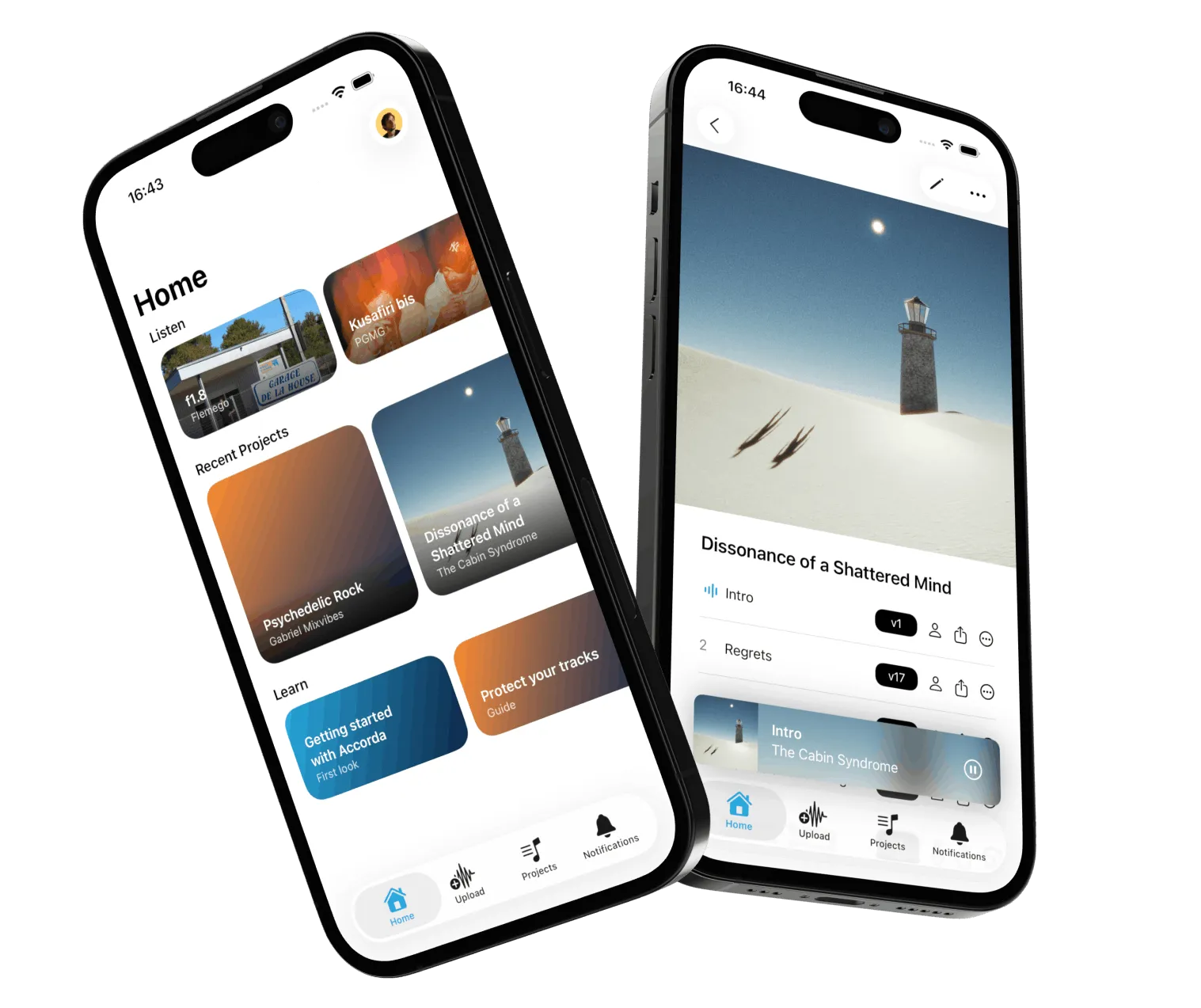
Demos in your voice memos, WeTransfer links that expire, lyrics in Notes, feedback lost in forty messages.
Every version, stem, lyric and comment of a track lives in one project, with its analysis, as easy to browse as a streaming app.
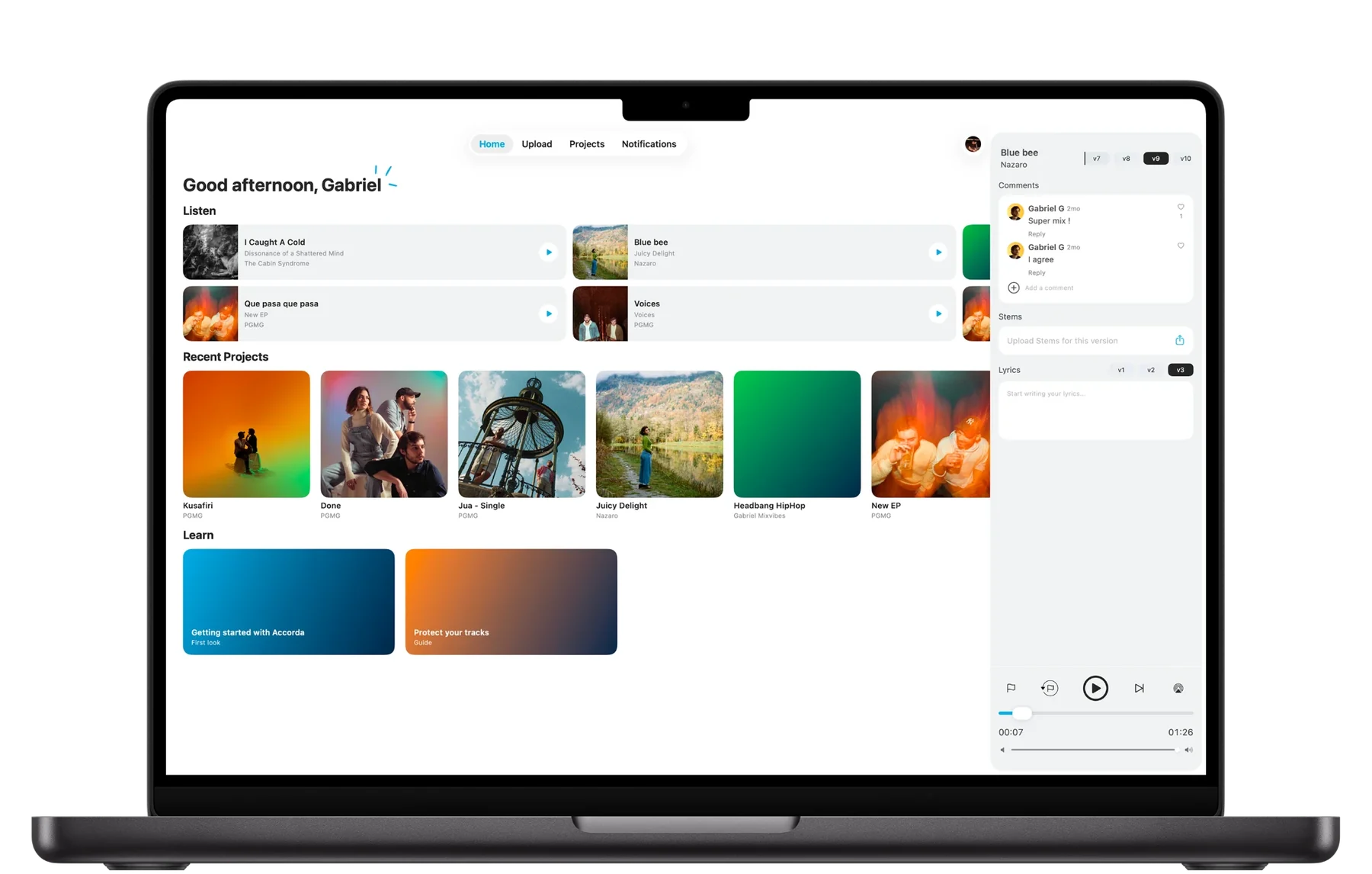
The same app and the same account on your Mac. Your library on the left, the track you are playing on the right, with its versions, comments, stems and lyrics.
Singles, EPs and albums with their covers, sorted by artist. One account holds every name you release under: solo, band, side project.
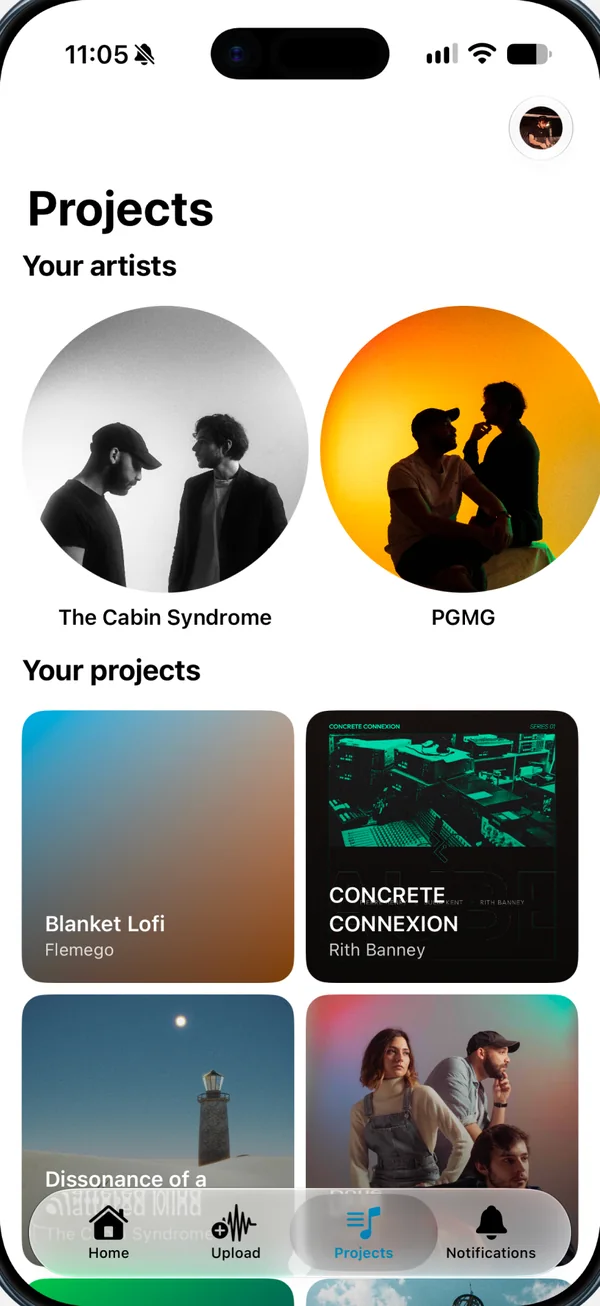
Upload a new bounce and it becomes v13, right above v12. Play any version in one tap, the way you'd play an album.
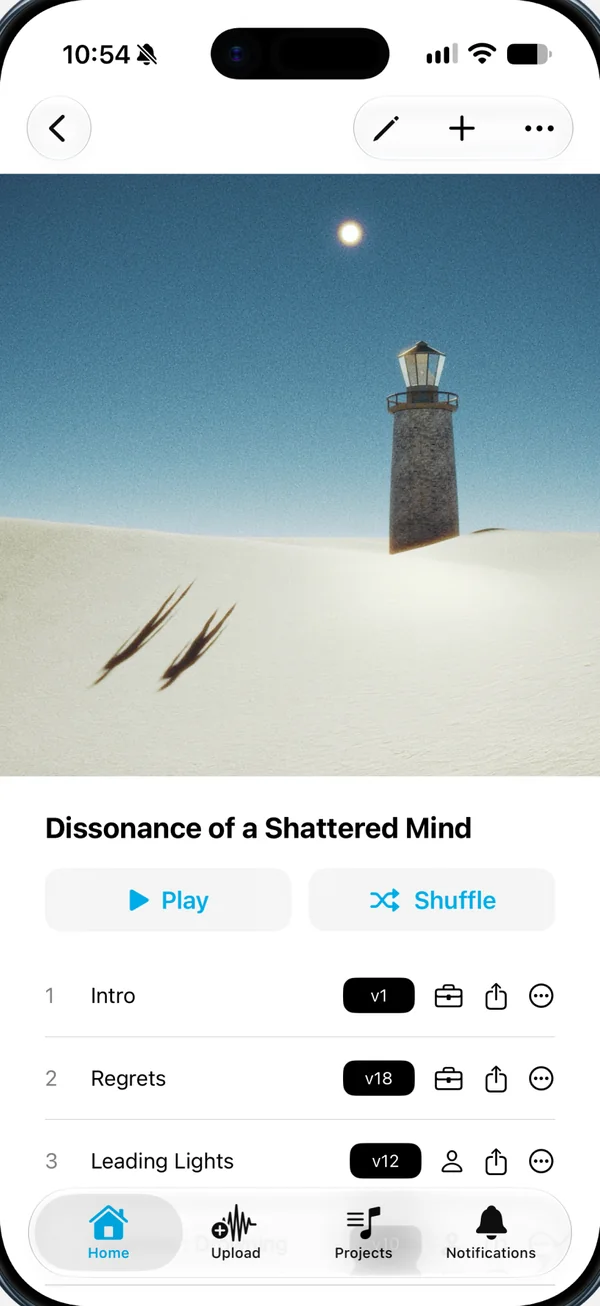
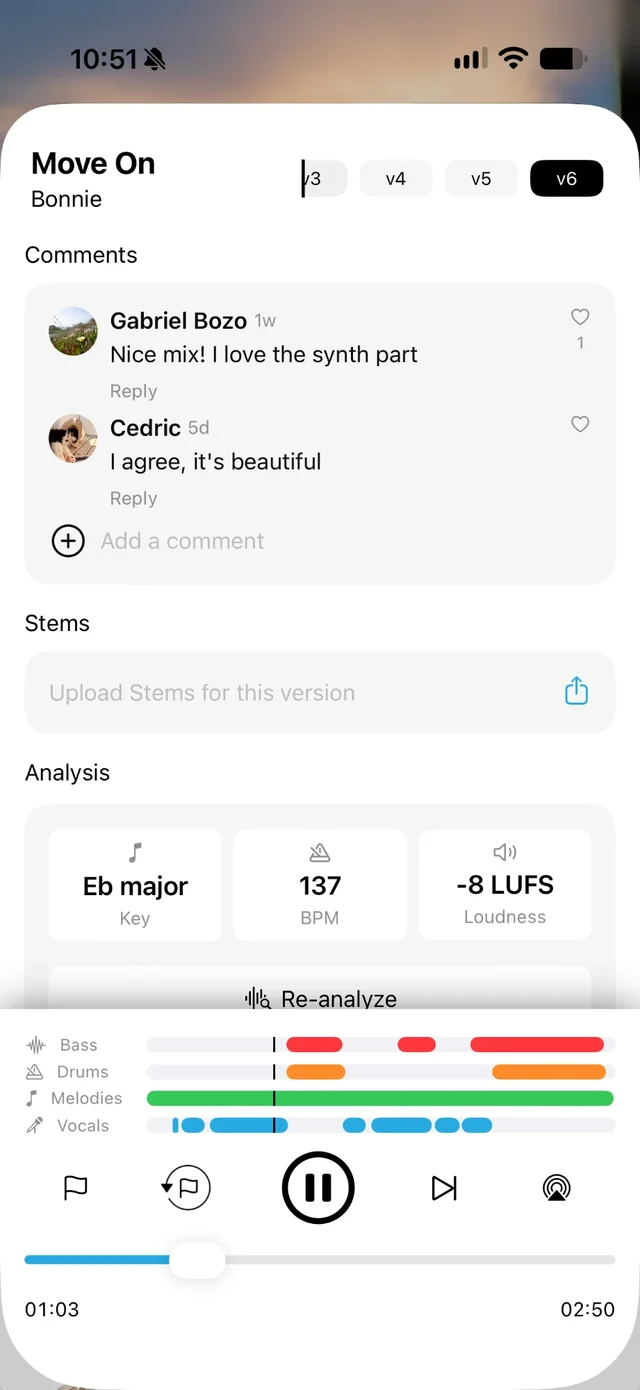
Comments are pinned to a timestamp and to the version they're about. Reply in the thread, right next to the audio.
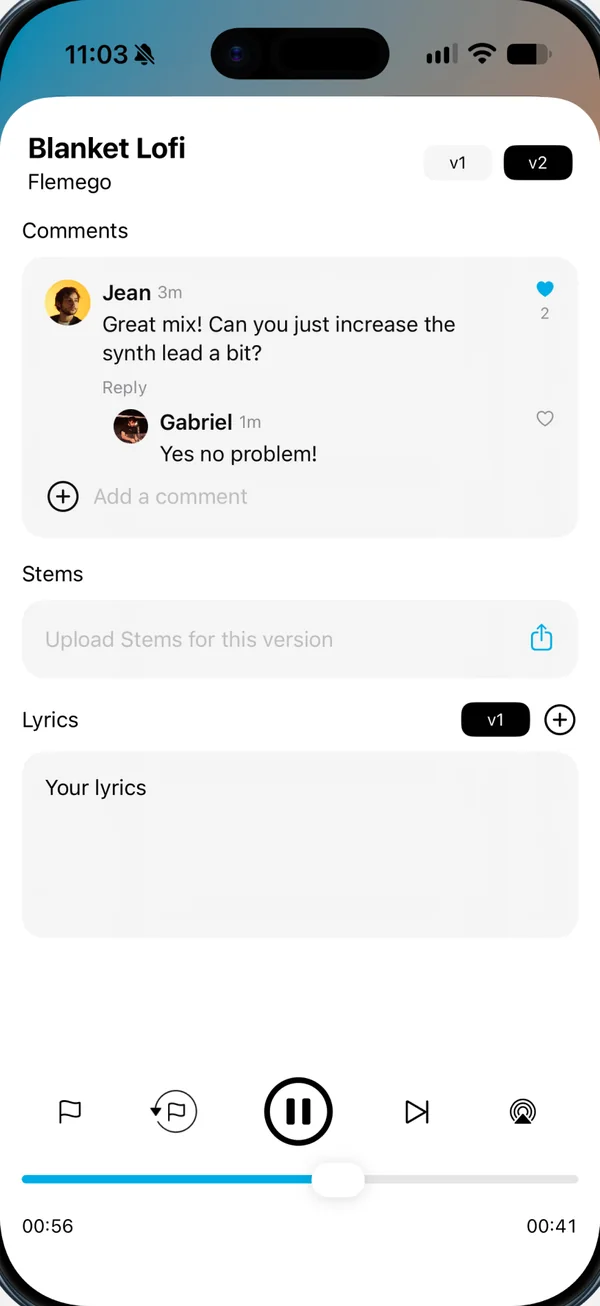
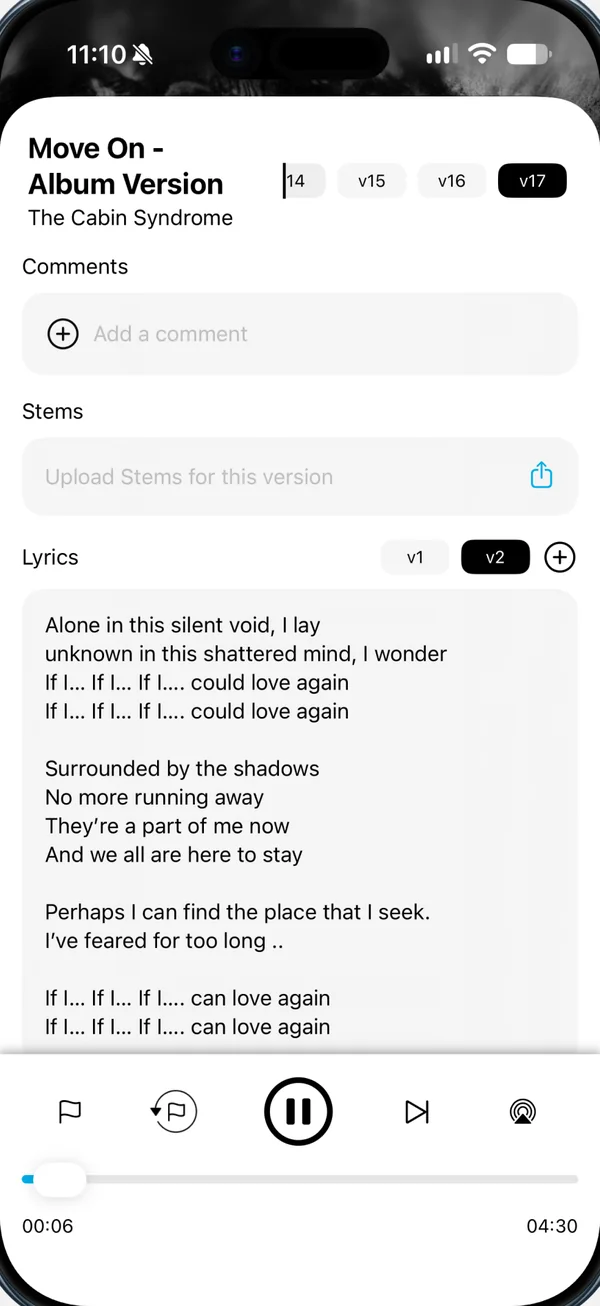
Write lyrics for each track and keep the stems with the version they belong to. No more digging through folders before a session.
Add musicians, engineers, managers and friends. Give each one a role and an access level, from listening only to uploading new versions.
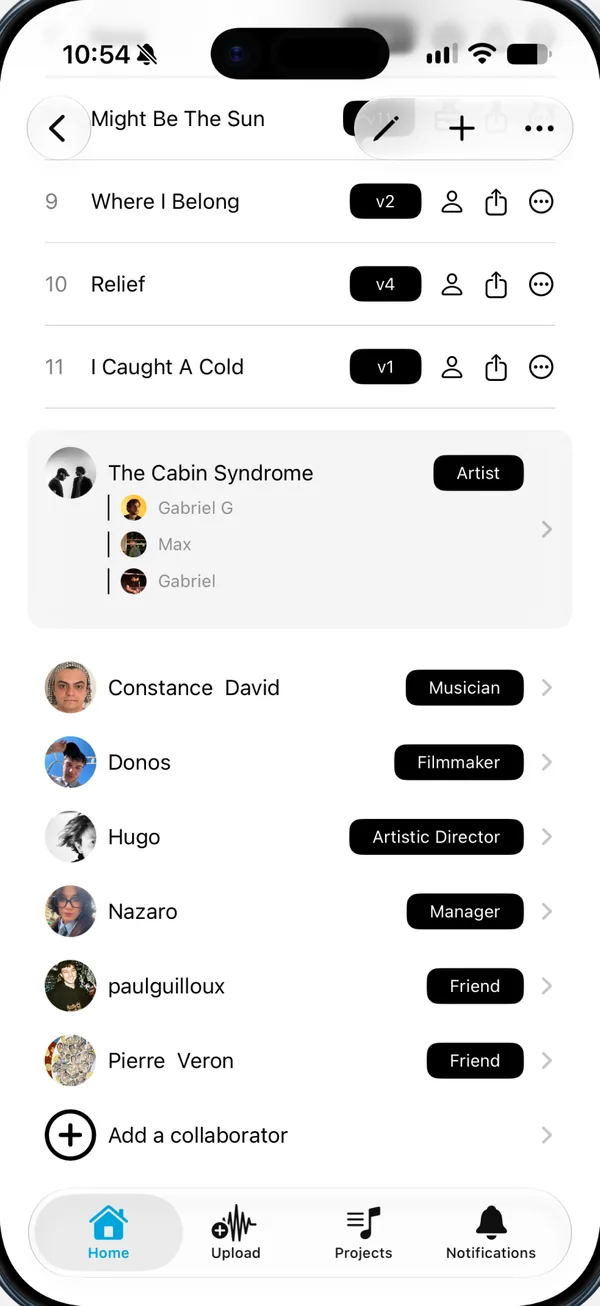
Drop in a folder of WAV, AIFF or FLAC files. Your collaborators can add their own stems to the project.
Key, tempo and loudness for every version, plus where the bass, drums, melodies and vocals play.
Share a track or a whole project. It opens in any browser, no account needed.
Every track is Private, Collab or Industry. You decide who hears what.
Upload the scene with your score and share it behind a password. Up to 60 minutes in 1080p.
One app, one account. Start on the Mac in the studio, finish on the iPhone on the way home.
Solo, band, duo, library work: each name gets its own art, projects and members.
Pick an access level, create a link, send it anywhere. Whoever opens it joins your project in one tap. No more asking for a user ID.
Your real numbers, your links, and the singles, EPs and albums you worked on, picked from Apple Music with 30-second previews.
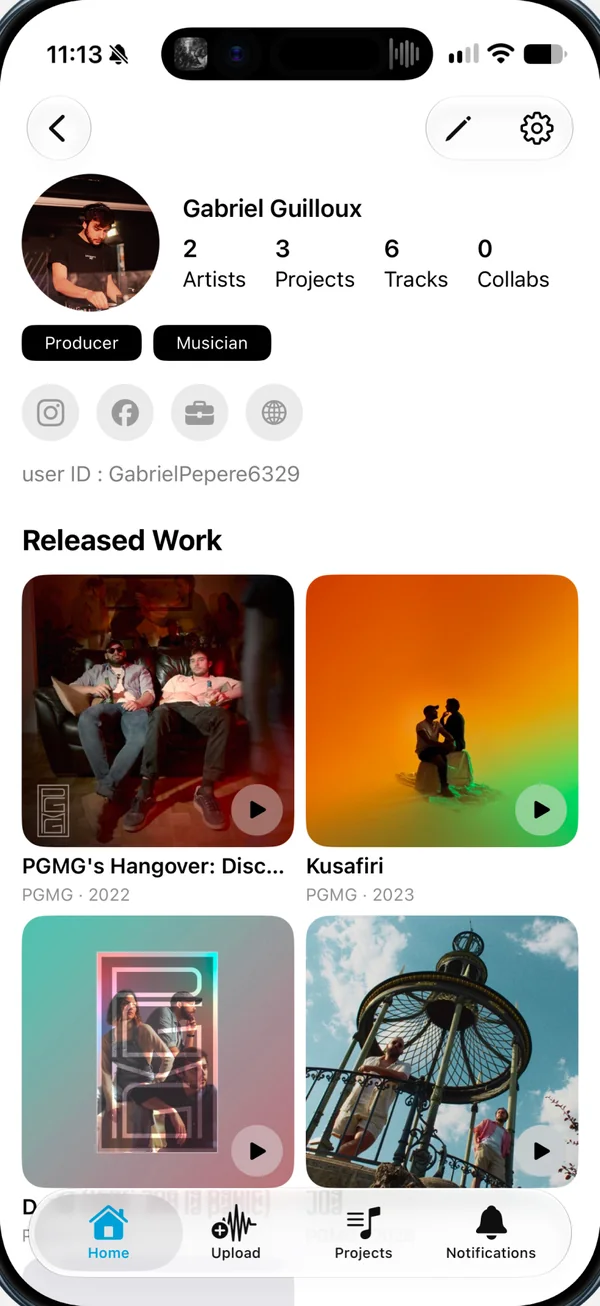

Keep demos, versions and lyrics together, and share a project only with the people you trust.

Send mix revisions as new versions, share stems and get feedback on the exact second.

Follow every project on your roster and give each partner exactly the access they need.
“This is the app I was missing as a producer. It lets me connect everything from production through to release.”
“I used to send links to my collaborators after every bounce, I lost tracks in hard drives, got lost in feedback messages. Accorda turned ten years of chaotic music collaborating into a harmonised place I can rely on.”
 GabrielFounder of Accorda
Every plan includes unlimited projects, time-stamped comments, lyrics, listen links and version history.
For artists building their catalog.
Get started
For music creators and professionals.
billed annually
Try 7 days freeFor composers and studios working to picture.
billed annually
Get startedFor bands and studios.
€239.99 billed annually
Get startedSomething else on your mind? Write to us
Yes. The Solo plan is free, with 1 GB of storage, unlimited projects and unlimited collaborators per project. Paid plans add storage, stems, download links and video, from €5 a month on an annual plan.
iPhone, iPad and Mac, with one account and your projects synced across all three. The people you send a listen link to can open it in any browser.
To work in a project (comment, upload versions, download stems), yes: they sign in for free with Apple or Google. To simply listen, send a listen link instead, no account needed.
In a project, tap Add collaborator, then By link. Pick an access level and create the link. Anyone who opens it within 24 hours joins the project in one tap, with that access.
WAV, AIFF and FLAC, as well as compressed files like MP3. Paid plans stream in lossless quality.
You do. Accorda claims no ownership of your content. Your files are stored on European servers, in line with GDPR, and deleting your account erases everything tied to it.
Subscriptions go through your Apple ID. You can cancel any time in your device's Settings: tap your name, then Subscriptions.
 Scan it, it's free


 Later
Later NAO
NAO Jumel
Jumel S.A.M
S.A.M